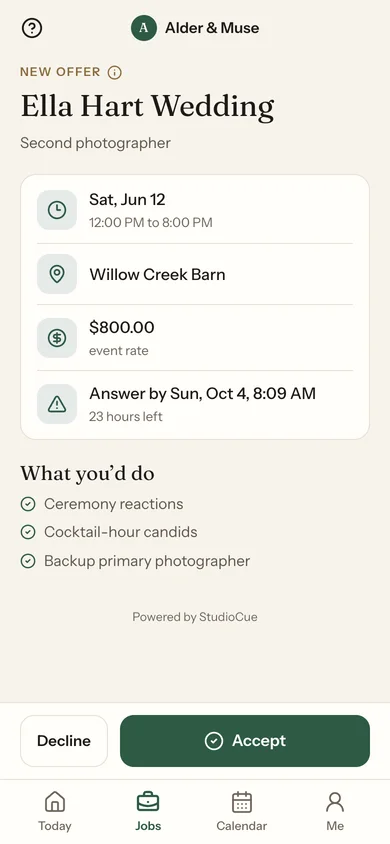
Everyone you hire gets their own workspace: the offer with the rate on it, the call time, the addresses, what they are covering, and where to send their hours afterwards. You stop being the group chat.
Rate, call time, location and responsibilities in the offer itself — not a text message asking if they are free on the 14th.
Accept or decline in one tap
Response deadline shown, and enforced
Expired offers say so instead of going quiet
Nobody chases a decline
When someone turns a job down, StudioCue offers it to the next person on your list without waiting for you to notice.
Ordered fallback list
Automatic re-offer on decline or expiry
You are told when it runs out of people
The schedule they actually need
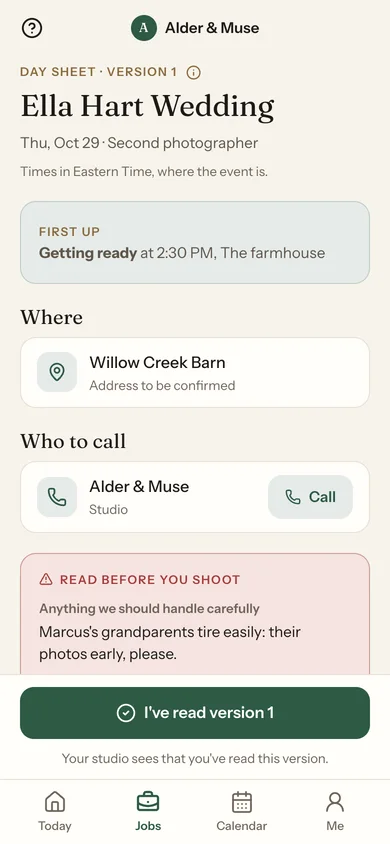
Their assigned segments, not the whole run of show. Published versions, and a record of who has seen the latest one.
Only the segments they are on
Version numbers, not “latest final v3”
Acknowledgment recorded per person
Ready before the day
Insurance certificates, signed paperwork and anything else you require, requested and tracked per person.
Requirements listed per assignment
Secure document upload
Outstanding items followed up for you
Works where the signal does not
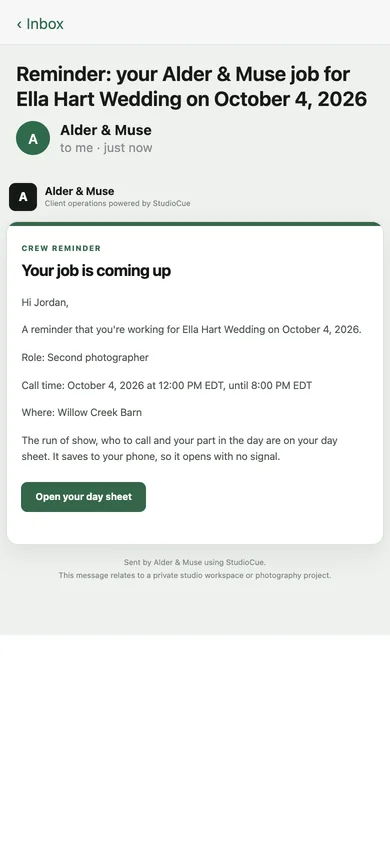
The event-day brief — timeline, locations, contacts — is cached on their device. Venues with no reception are the normal case, not the exception.
Offline event-day brief
Addresses with directions
Contacts only when you share them
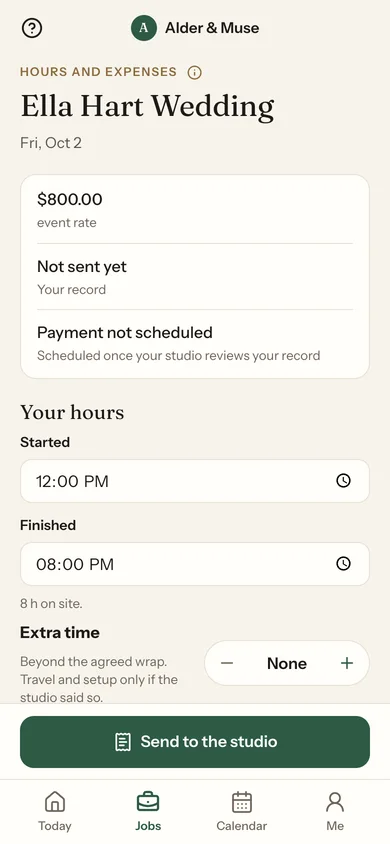
Closeout without the chase
Hours, expenses and deliverables submitted by the person who did the work, reviewed by you, and settled against the assignment.
Submitted from their own portal
You review before it counts
Payment status visible to both sides
They see their jobs. Nothing else.
In the product's own words: you only see the jobs, contacts, files, and schedule details shared with you. A second shooter on one wedding cannot see your other couples, your rates, or your client list.
Scoped to their assignments
Client contacts shared deliberately
No access to your studio workspace
No license per freelancer
Your crew are not billed seats — the plan's seats are for your own team. Bring in the people you hire for one Saturday without adding a subscription; Studio covers up to 25 active crew.